Cymetryc Release Notes: May 2025
Below is a summary of the enhancements and bug fixes in the May 2025 release:
Cymetryc Portal Enhancements:
- In SETTINGS, an admin user can now download an import template and import a list of users.
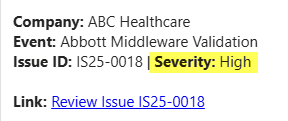
- In VERIFY, the severity of an issue is now included within the body of the email notification, displayed after the Issue number.
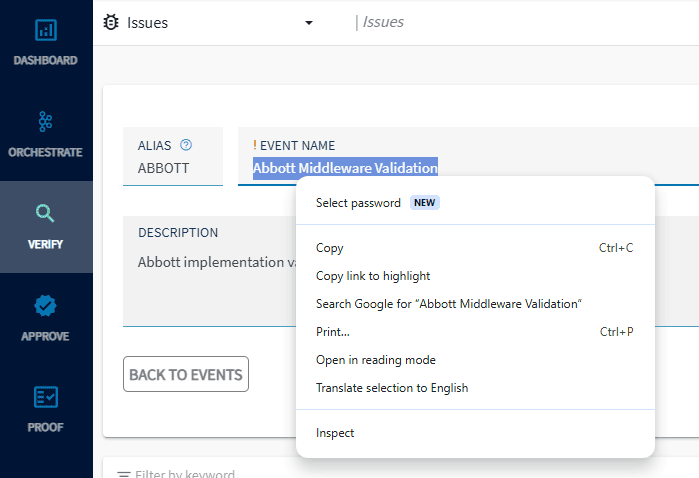
- In VERIFY, the Event Name is now enabled to copy to clipboard.
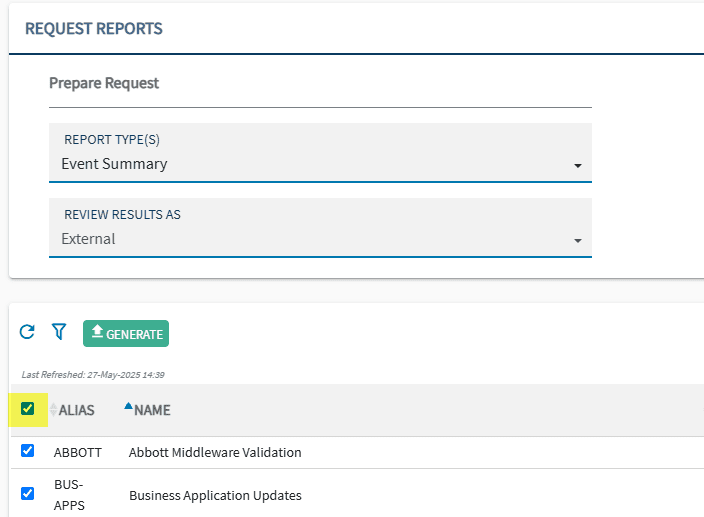
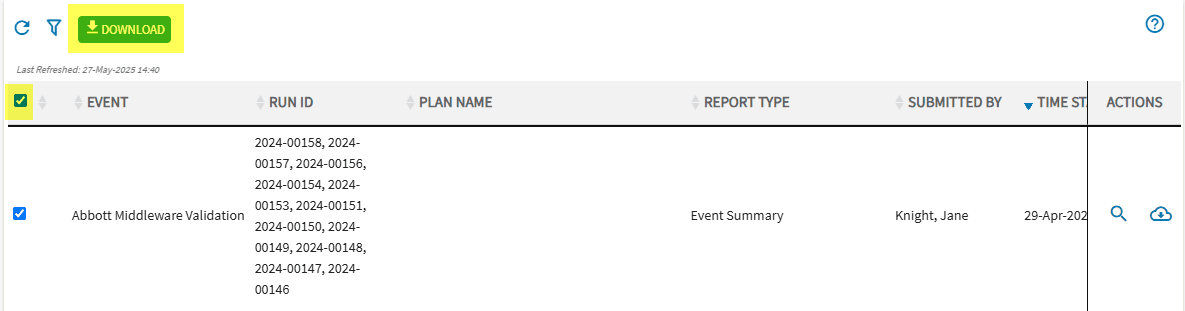
- In PROOF, a user may now ‘select all’ and ‘download all’ for Event Summary and other excel reports. The Event Status Report now includes step-level metrics.
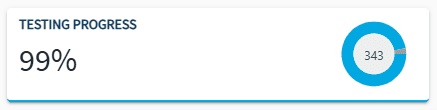
- In DASHBOARD, the review graph titles have been updated to display consistently with testing graph titles.
Cymetryc Desktop Enhancements:
- An exported test plan file name will now include up to 100 characters.
- After adding an image to a step, the step status will update to In Progress until a Pass/Fail/Skip status has been added.
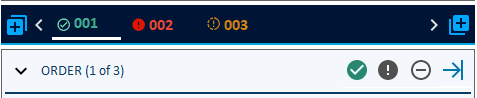
- Enhancements to the Verify Testing Guide to provide visual cues in addition to just colors. This includes pass/fail/skip icons beside the completed steps and a box around required screenshot and attachments.
- An icon has been added to the main page headers to launch a browser session bringing the user to the web portal
Bug fix:
- When any text in the Review Summary or Detail Final Reports is missing spacing or line breaks, the text was running off the page and pushing other information out of the margins. The text will now wrap appropriately and all information is present on the report.
In SETTINGS, an admin user can now download an import template and import a list of users
In order to have access to the user list import template, the user’s company must be enabled to allow managing users. For more information about enabling this feature, please contact support@cymetryc.com
Use the new option to import users, first downloading the template to populate new users within the excel format, then importing.
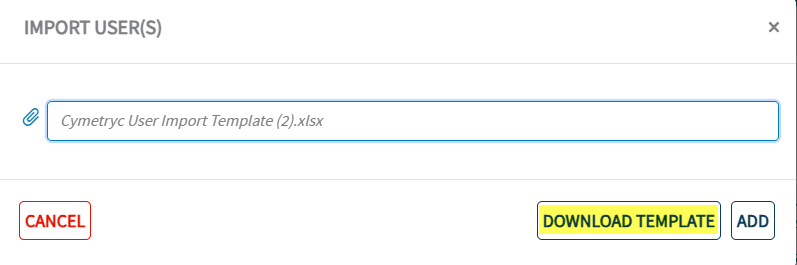
Note: It is important to confirm the list of users imported, and add any that did not import. If a user’s information does not match the correct format or criteria, it will not import and will need to be added manually.
In VERIFY, the severity of an issue is now included within the body of the email notification.
In PROOF, a user may now ‘select all’ and ‘download all’ for Event Summary and other excel reports.
To select multiple reports to download within Proof>Generate Reports, select a report type from the dropdown.
The option to ‘select all’ to generate event summaries is now available.
After the reports have been generated and the user has received an email/notification that the reports are ready, the user can now select ‘download all’ to download the reports with one click instead of selecting each individual report.
This was added to better reflect testing that is in progress but not complete.

In DASHBOARD, the review graph titles have been updated to display consistently with testing graph titles.
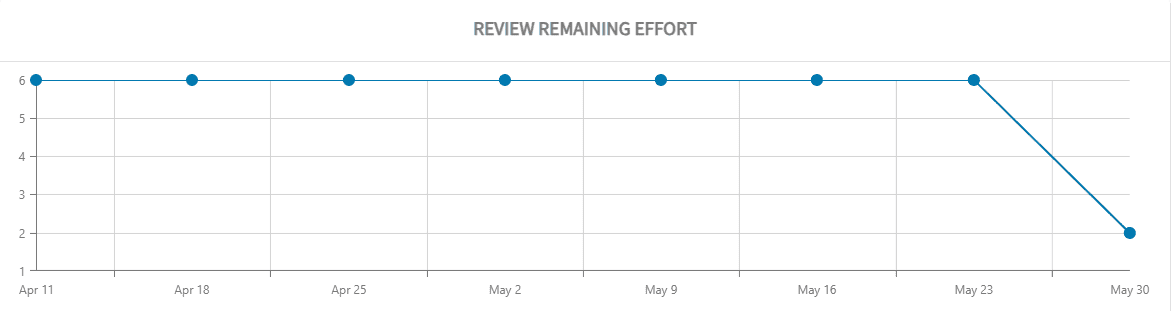
Review Progress has been updated to Review Status
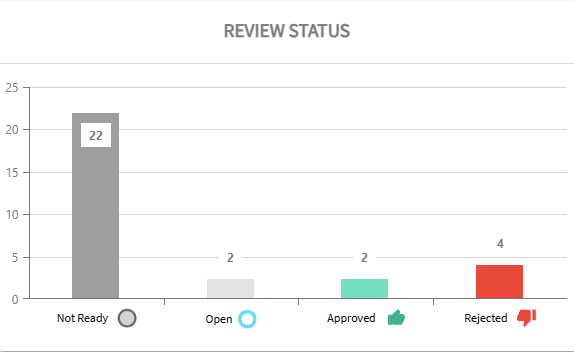
Dashboard display has changed slightly – previously the Testing Progress graphic was green, it has been updated to blue.

After adding an image to a step, the step status will update to In Progress until a Pass/Fail/Skip status has been added. This makes it much easier to identify which test cases have been started, with testing evidence applied.


Enhancements to the Verify Testing Guide to provide visual cues in addition to colors.
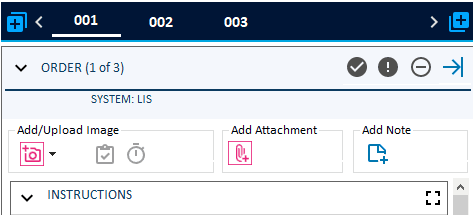
Icons indicating pass, fail and skip status beside the completed steps in addition to red, green or yellow coloring gives an additional visual cue.
Portal quick link
An icon has been added to the main page headers to launch a browser session bringing the user to the web portal.

Please reach out to support@cymetryc.com if you are interested in more information about these updates or want to strategize how to get the most out of Cymetryc.