01 — Plan
Set up the plan in minutes
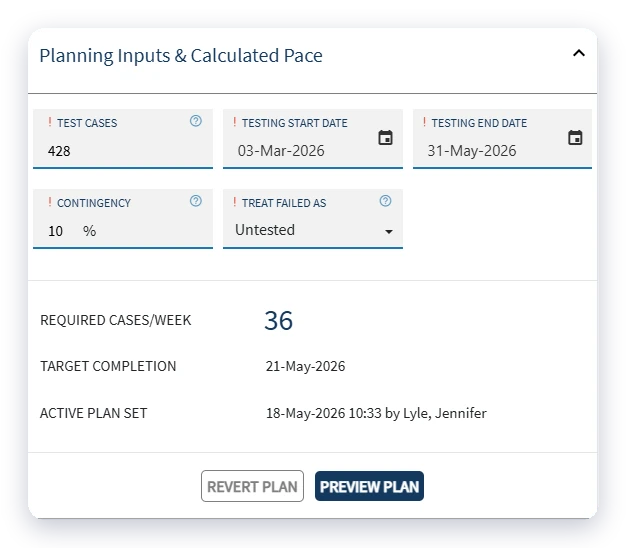
Enter the number of test cases, the testing start and end dates, a contingency percentage and how failed test cases should count. Cymetryc calculates the cases required each week and your target completion date.
The plan sits on the Execution Plan tab in Orchestrate, connected to the same event your team is already testing in. No side spreadsheet required.
What goes into the plan
Total test cases in scope
Testing start and end dates
Contingency for retests, downtime and delays
How failed test cases count toward progress
Required cases per week and target completion, calculated for you
02 — Calendar
Plan around the days testing can happen
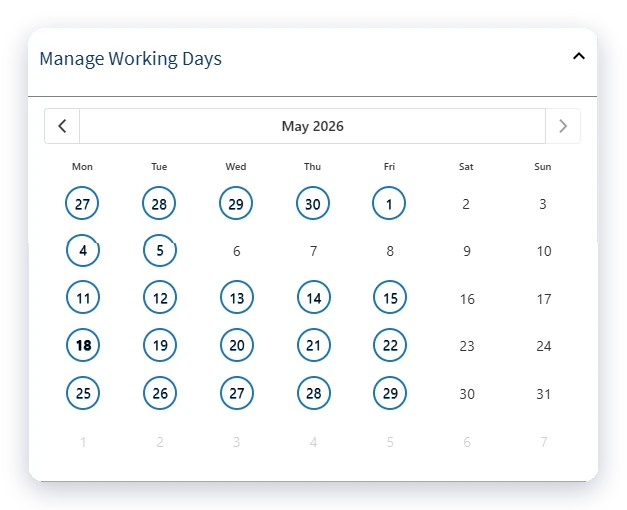
Select or deselect working days on a calendar. Holidays, vacations, annual leave and downtime come out of the plan, so the weekly target reflects the time your team actually has.
Built on a realistic calendar
Click days on or off in a monthly calendar
Holidays and downtime left out of the pace
Planned days and buffer days shown separately
Weekly targets based on the days you have
03 — Pace
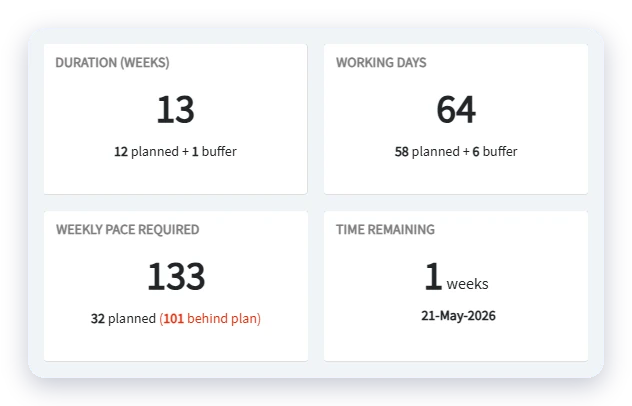
Know the weekly pace you need
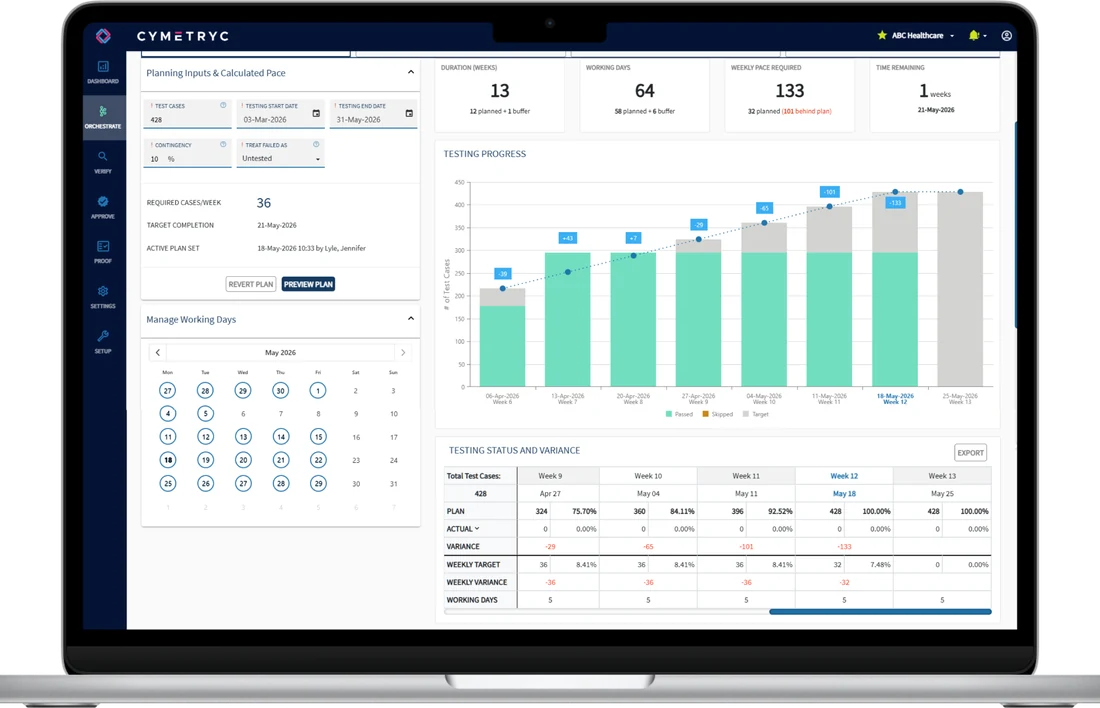
Four numbers tell you where the plan stands: duration, working days, the weekly pace required and time remaining. Planned time and buffer are shown separately, and anything behind plan is flagged in red.
No more working out next week's target by hand before every status meeting.
04 — Progress
See planned vs. actual every week
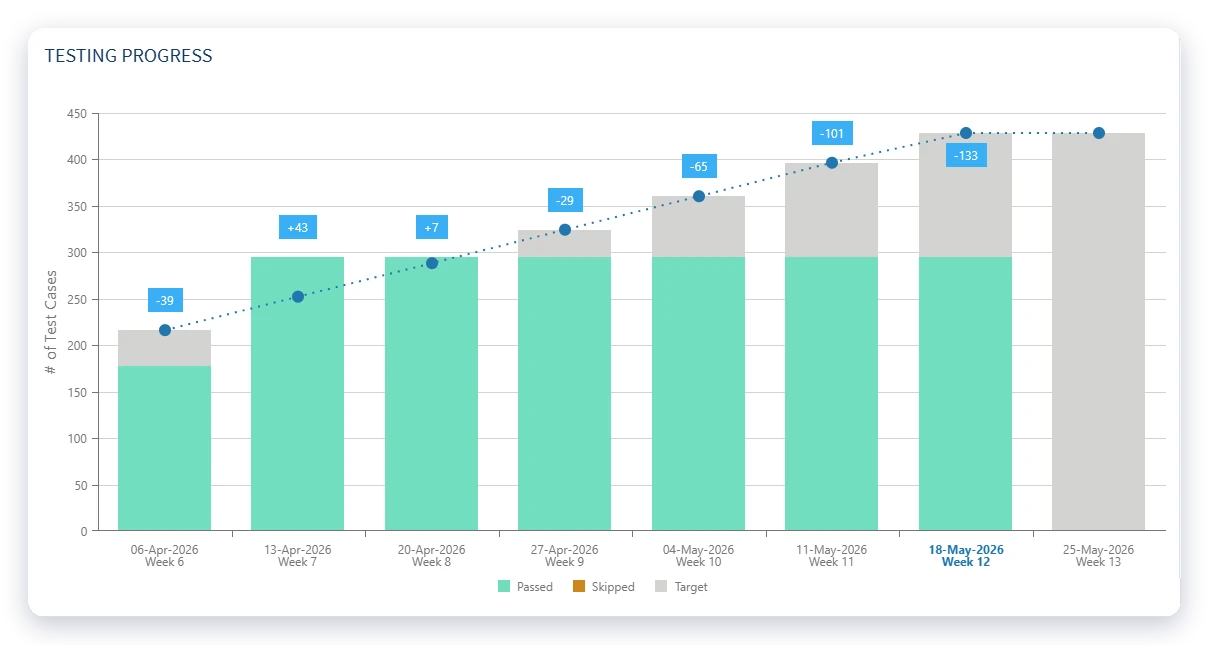
The testing progress chart plots passed test cases against the target line week by week, with the variance labelled on every bar.
Schedule risk shows up early, while you can still shift testers, change priorities or escalate blockers.
Everyone works from the same numbers, so status conversations stay grounded in facts.
Respond while there is still time
Passed, skipped and target counts by week
Variance above or below plan on every bar
The current week highlighted
One shared view for project and testing leads
05 — Adjust & report
Adjust early and plan better next time
Preview changes to scope, dates or contingency before you update the active plan, and revert if the numbers don't work.
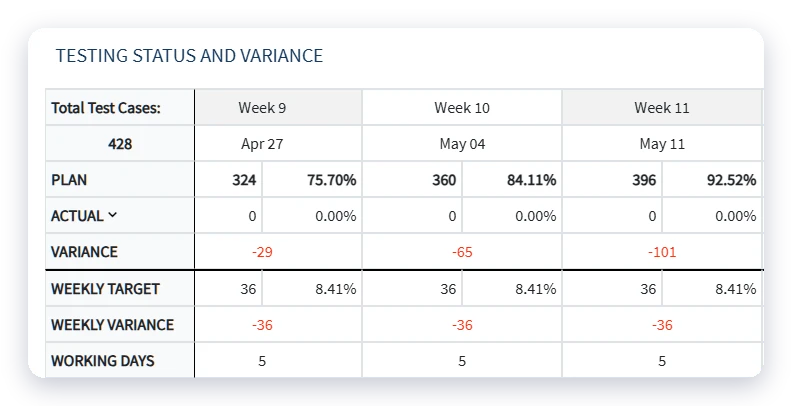
The weekly status and variance table exports for status meetings, leadership reviews and project updates.
Plan history shows how long testing really took, so the next project starts with better estimates.
Stay in control
Preview a plan before committing changes
Revert to the active plan
Plan, actual and variance for every week
Export for stakeholder reporting
Plan history to improve future estimates